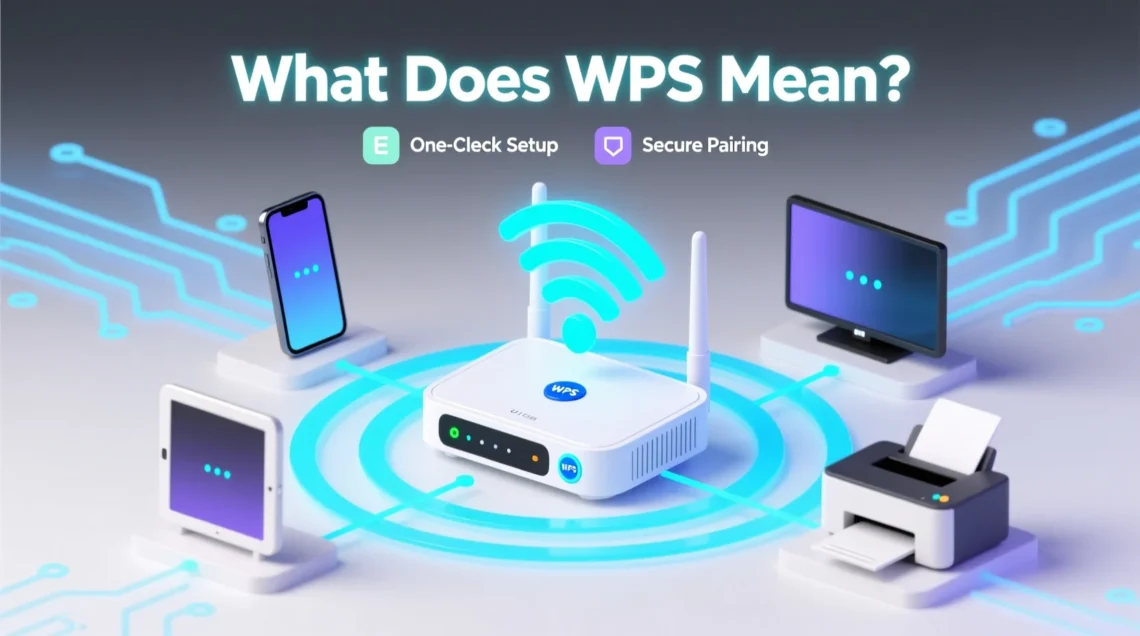
If you’ve ever glanced at your router or printer and seen a small button labeled WPS, you might have wondered, “What does WPS mean?” You’re not alone. WPS, which stands for Wi-Fi Protected Setup, is a technology designed to make connecting devices to a Wi-Fi network easier.
But its simplicity hides a world of functionality, security considerations, and technical details that most people never explore. In this guide, we’ll break everything down in plain language, covering the definition, how it works, its pros and cons, security, and alternatives.
What Does WPS Mean? Definition and Full Form
The term WPS is short for Wi-Fi Protected Setup. At its core, WPS is a network security standard created to simplify the process of connecting devices to a wireless network without needing to enter a long, complex Wi-Fi password.
Here’s a quick overview:
| Term | Full Form | Function |
|---|---|---|
| WPS | Wi-Fi Protected Setup | Allows easy and fast connection of devices to a Wi-Fi network |
Instead of typing a Wi-Fi password manually, WPS allows devices to authenticate and connect securely with a simple button press or by entering a short PIN. This feature is especially helpful for devices like smart TVs, printers, and home assistants, which can be tedious to configure using traditional methods.
History and Purpose of WPS
WPS was introduced by the Wi-Fi Alliance in 2006. Its primary goal was to make wireless connections more user-friendly. Before WPS, connecting devices often involved typing long passwords, sometimes including special characters, which was frustrating and error-prone.
Why WPS was created:
- To simplify Wi-Fi setup for non-technical users.
- To reduce the chances of mistyping passwords.
- To encourage the adoption of Wi-Fi in homes and offices.
Devices commonly supporting WPS include:
- Routers and modems
- Wireless printers
- Smart TVs
- Wi-Fi-enabled cameras
- IoT devices like smart plugs and home assistants
Over time, WPS has become a standard feature on almost all modern routers. However, while it makes setup easier, it also has security implications that users should be aware of.
How WPS Works
Understanding how WPS works is simpler than it sounds. There are two main methods:
1. Push Button Configuration (PBC)
- Press the WPS button on your router.
- Within two minutes, press the WPS button on your device (printer, smart TV, etc.).
- The router and device automatically exchange credentials and connect.
2. PIN Entry Method
- Each WPS-enabled device has an 8-digit PIN.
- Enter this PIN into your router’s WPS settings to connect.
- The router validates the PIN and allows the connection.
Step-by-step WPS Push Button Connection:
- Locate the WPS button on your router (usually marked clearly).
- Press it once—most routers light up an indicator.
- On your device, enable WPS connection.
- Within 2 minutes, the device connects automatically.
Diagram: WPS Connection Flow
Router WPS Button Pressed → Device WPS Activated → Automatic Credential Exchange → Device Connected to Network
The Push Button method is faster and more secure than the PIN method, which has been shown to be vulnerable to brute-force attacks.
WPS in Technology and Networking
WPS isn’t just a convenience feature—it’s an important part of network technology. Here’s how it works across different devices:
WPS in Wi-Fi Networks
WPS allows devices to skip entering Wi-Fi passwords and connect directly to your network. It uses the WPA (Wi-Fi Protected Access) or WPA2 security protocols, ensuring the connection remains secure.
WPS vs Wi-Fi Direct
While both WPS and Wi-Fi Direct allow device connections without typing a password, there are key differences:
| Feature | WPS | Wi-Fi Direct |
|---|---|---|
| Connection Method | Through router | Peer-to-peer |
| Password Requirement | Optional | Usually optional |
| Device Compatibility | Routers, printers, IoT devices | Smartphones, tablets, laptops |
| Security | WPA/WPA2 encryption | WPA/WPA2 encryption |
WPS on Different Devices
- Printers: WPS allows quick setup for wireless printing without manually entering passwords.
- Smart TVs: Connects to home Wi-Fi instantly, letting you stream content without hassle.
- Smartphones & Tablets: Some Android devices support WPS for fast Wi-Fi access.
WPS Security Considerations
Despite its convenience, WPS has known security vulnerabilities, especially when using the PIN method. Security experts recommend understanding the risks before relying on WPS exclusively.
Vulnerabilities of WPS:
- PIN Brute Force Attacks: The 8-digit PIN can be guessed with software tools in a short time.
- Router Exploitation: Some routers leave WPS enabled by default, creating potential entry points.
- Limited Logging: Unauthorized connections may not be easily detected.
Tips for Safe WPS Use:
- Prefer the Push Button method over PIN.
- Disable WPS if you don’t use it frequently.
- Regularly update your router firmware.
- Monitor connected devices via router settings.
“Convenience should never outweigh security. Use WPS wisely.”
Common WPS Features on Devices
Many people see WPS on their devices but don’t know how it works in practice. Here’s a breakdown:
Router WPS Button Function
- Triggers a short window where devices can connect automatically.
- Often accompanied by a blinking LED indicator.
WPS Shortcut or Code Meaning
- Printers or smart devices may display a WPS code.
- This is used to authenticate and connect the device securely.
Device Connection Examples
- Smartphone: Enable WPS in Wi-Fi settings → Press router WPS → Device connects.
- Printer: Press WPS → Printer auto-configures with the network.
- Laptop/PC: Some Windows versions support WPS via network settings.
Quick List of Device Types Supporting WPS:
- Routers and modems
- Wireless printers
- Smart TVs and media devices
- Home assistants (Alexa, Google Home)
- IP cameras
Troubleshooting WPS Connections
Even with a simple setup, WPS can fail. Here are common issues and solutions:
Common Problems
- Device not connecting despite pressing WPS.
- Router WPS button not responsive.
- PIN method rejected repeatedly.
Fixes
- Ensure the device is within range of the router.
- Check if WPS is enabled in router settings.
- Restart router and device before retrying.
- Update firmware on the router or device.
Testing WPS Connection
- Connect a device using the Push Button method.
- Verify it appears in the router’s list of connected devices.
- Attempt a network speed test to ensure stable connection.
Pros and Cons of Using WPS
While WPS is convenient, it has its trade-offs. Here’s a clear comparison:
| Pros | Cons |
|---|---|
| Quick setup | PIN method vulnerable to attacks |
| No need to type long passwords | Limited device support for WPS |
| Ideal for non-technical users | Some routers may leave it enabled by default |
| Works with multiple devices | Not necessary with modern devices supporting QR Wi-Fi |
| Reduces human error | Push Button method requires physical access to router |
Alternatives to WPS
If you’re concerned about security or your devices don’t support WPS, there are several alternatives:
- Manual Wi-Fi Setup: Entering the Wi-Fi password manually remains the most secure method.
- QR Code-Based Wi-Fi Connection: Many modern devices allow scanning a QR code to connect quickly.
- Wi-Fi Direct: Connects devices directly without needing a router.
- Network Management Apps: Some routers offer apps for easy device connection without WPS.
Tip: If security is a priority, disable WPS and use manual setup or QR code-based connections instead.
Conclusion
So, what does WPS mean? At its simplest, WPS (Wi-Fi Protected Setup) is a tool to simplify connecting devices to Wi-Fi. It saves time, reduces errors, and is especially helpful for printers, smart TVs, and IoT devices. However, WPS comes with security risks, particularly if using the PIN method. The Push Button method is safer but still requires careful use.
When used wisely, WPS can be a powerful convenience feature in your home or office network. Understanding how it works, its limitations, and the alternatives ensures you get the best of both ease and security.
Key Takeaways:
- WPS simplifies Wi-Fi connections with button press or PIN.
- Push Button method is safer than PIN method.
- WPS is common in routers, printers, smart devices, and IoT gadgets.
- Always monitor connected devices and update router firmware.
- Consider alternatives like manual setup or QR codes if security is a concern.
Next time you press that small WPS button, you’ll know exactly what it does—and why it matters.